
Strava
To export your activity's .GPX file:
- select Training -> "My Activities"
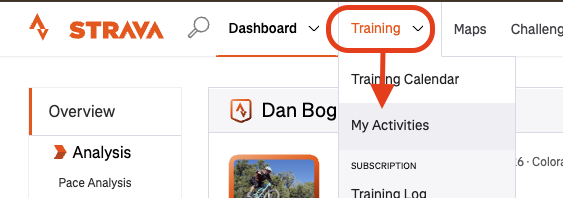
- Select your desired activity
- From the activity, click the "..." button and select "Export .GPX"
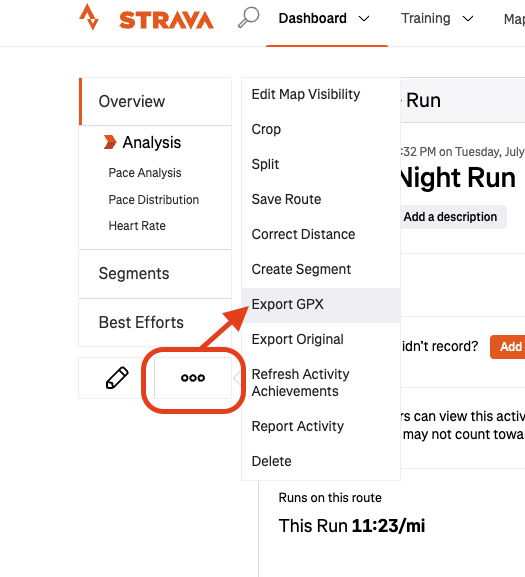
You can then drag and drop the downloaded .GPX file into Sculpture Studio
Garmin Connect
To export your activity's .GPX file:
- Navigate to your desired activity's page
- Select the gear icon -> "Export to .gpx"
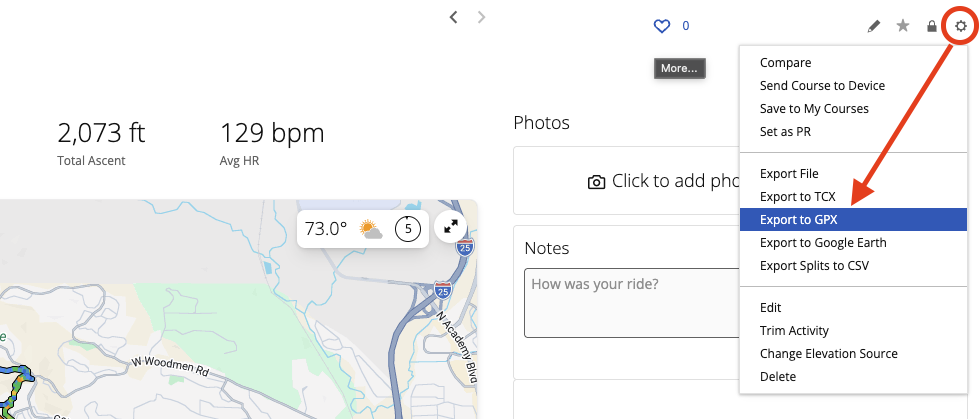
You can then drag and drop the downloaded .GPX file into Sculpture Studio
AllTrails
To export your route's .GPX file:
- Navigate to the desired route's page
- Click the "..." button in the upper right
- Click "Export map file"
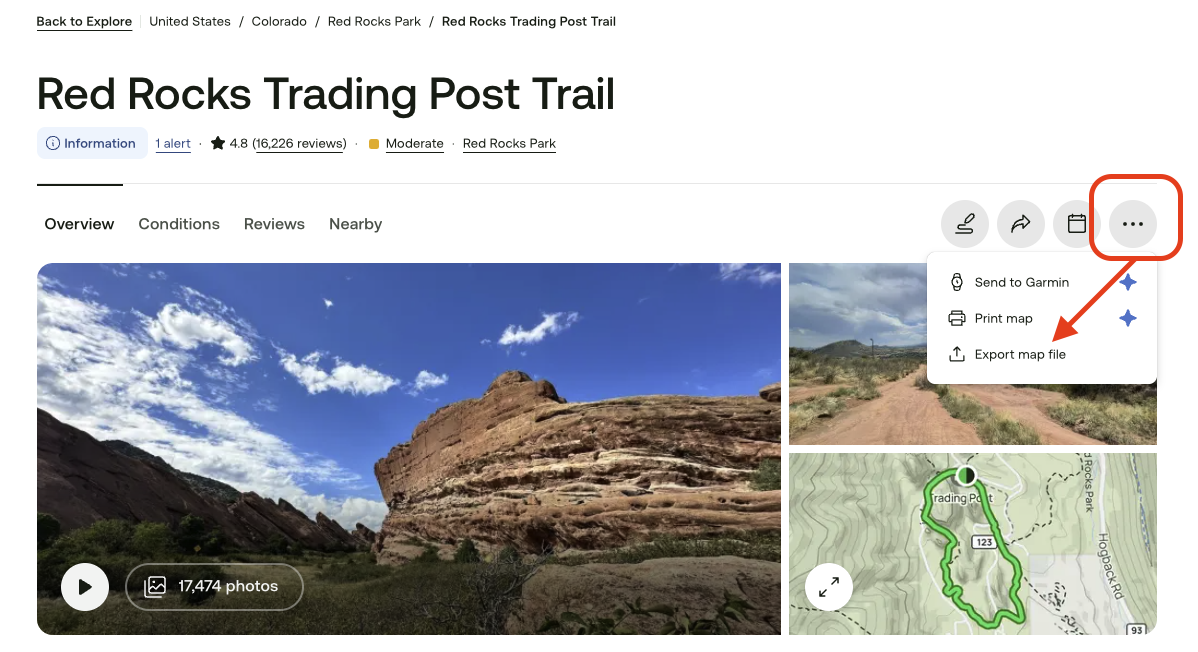
- Select "GPX Track"
- Click "Export"
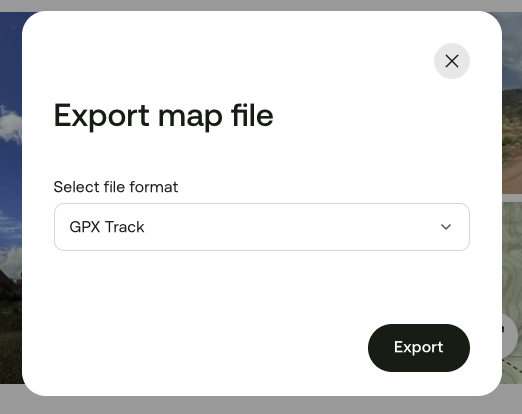
You can then drag and drop the downloaded .GPX file into Sculpture Studio
DIY or modify an existing route
If you need to create your own route from scratch, or combine multiple activities together here are a couple options I've found helpful:
- Email me at daniel@topofirma.com if you get stuck. I'm happy to help!
- GPX Studio at https://gpx.studio/ is an excellent, free tool for creating and modifying gpx files. (Topofirma is not affiliated with GPX Studio but does support it through donations.)
- Strava -> build your own route, then export the .gpx
- Garmin -> create a course, then export the .gpx
You can then drag and drop the downloaded .GPX file into Sculpture Studio